Save and name a place
Capture your current location, then add a useful name, category, and notes to the saved spot.
Save a place now and find it again later. Name your map pins, add notes and categories, and open directions when it is time to return.
Rivets: My Location Saver · Android
Free to download; paid features or subscriptions may apply. See Google Play for current availability and purchase terms.
Parking spots, job sites, trail access, and places you want to revisit are easier to remember when they have a name and a note. Rivets: My Location Saver keeps those location bookmarks organized on your phone.
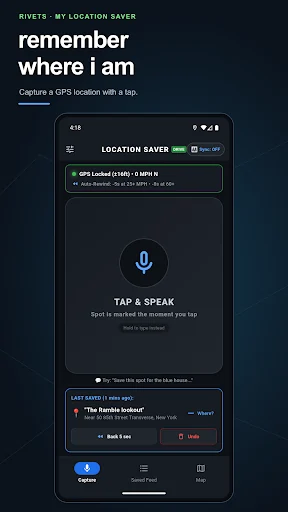
Capture your current location, then add a useful name, category, and notes to the saved spot.
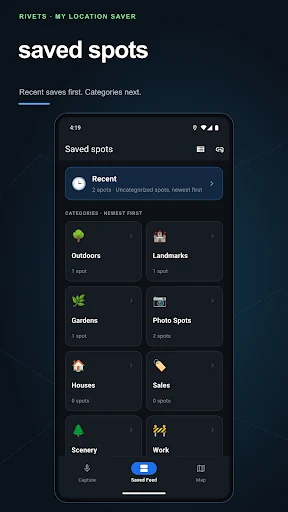
Search or browse categories, review pins on a map, and open directions in a compatible navigation app.
Optional Pro tools include a shared map with one partner, return reminders, collections, and other connected features.
Built for everyday errands, travel, outdoor interests, property visits, and trade work. It saves places rather than providing live-person tracking, surveying, dispatch, or emergency navigation.
The current listing says saving and keeping spots locally on your phone is free. Optional Pro tools use an annual subscription; check Google Play for the current local price and terms.
The current Pro plan describes sharing saved spots with one partner through an invitation code. Photo sharing can use your own Google Drive when you choose to connect it.
Yes. Optional Pro return reminders use background location and geofences when enabled. Review permissions and turn reminders off whenever you want. Maps, sharing, and navigation services may require a connection.
Real screenshots from the official Google Play listing.
Published by Rivets Software LLC · Product information reviewed October 27, 2026.