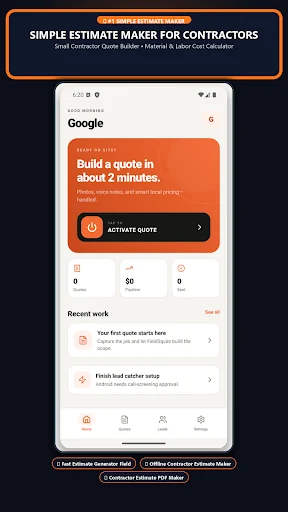
If you are looking for a construction cost estimator app for contractors, the useful question is not how quickly a number appears. It is whether you can explain that number to a customer. FieldSquire helps turn job notes into an editable estimate with separate labor and material items, followed by a PDF quote you can review and share.
The Android listing is called Construction Cost Estimator. FieldSquire is its product brand, and the official download uses the package com.rivetai.estimator. Here is a practical way to use the app when you are quoting repairs, renovations, or trade work from your phone.
Start with a scope you can actually price
A useful estimate begins before you open the calculator. Write down what the customer wants, the condition of the work area, and the measurements you have confirmed. For a small concrete job, that might include the area, thickness, access, preparation, removal, and finish. For a fence, it could include the run lengths, gates, materials, and demolition.
These are examples of details to collect, not preset specifications for every project. Your trade experience determines what belongs in the scope. The more clearly you describe the actual job, the easier it is to spot an item that should be changed or added when you review the suggested estimate.
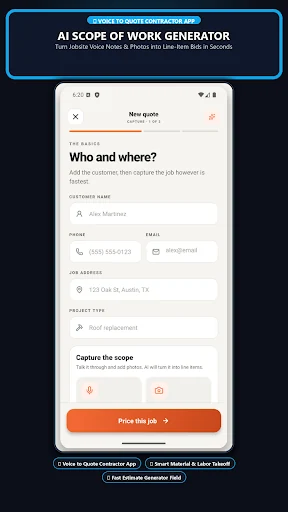
FieldSquire accepts a plain-language project description. That makes it useful as an Android estimating app for small contractors who need a starting point while they are still at the property.
Review labor and materials separately
An AI-generated estimate needs an experienced review. FieldSquire separates the suggested labor and material items so you can inspect the assumptions behind the total.
- Check quantities against your own measurements.
- Compare material prices with the suppliers you actually use.
- Review labor assumptions against the crew, access, and site conditions.
- Look for preparation, removal, delivery, and finish work that the description may not have captured.
- Confirm that the quote describes the work you intend to perform.
This review is where a contractor estimate app with PDF quotes earns its place in the workflow. You can correct the details before a polished document makes an uncertain number look final. Suggested costs are not supplier commitments, and the app does not replace a site assessment.
Turn a reviewed estimate into a clear customer quote
After you have adjusted the items, use the PDF export to give the customer a readable quote. Before sending it, check your business information, the customer, the project description, and the final amounts.
A customer should be able to understand what the quote covers without reconstructing your site visit. If an allowance or exclusion needs explaining, make sure that information is included in the document or the accompanying message. Keep a copy of the version you sent so later conversations refer to the same scope.
This is especially helpful when several similar jobs are in progress. A clear record is easier to revisit than a total copied out of a text message.
A practical first-job workflow
Choose a small job you already understand for your first estimate. Collect its details, enter the description, and compare the suggested items with the estimate you would normally prepare. Edit anything that does not fit. Then export the PDF and read it as if you were the customer.
That first comparison gives you a realistic feel for the app. You are testing whether it helps organize your process, rather than assuming every suggested line is correct. Once the workflow feels familiar, use it for the next suitable job you need to quote.
Which Rivets tool fits your paperwork?
FieldSquire focuses on building and reviewing a construction estimate. If your immediate task is billing completed work, see our guide to Simple Invoice Maker. Rivets also offers a separate Construction Costing app with its own Android listing and plan-dependent tools. Install the product that matches the workflow you want.
Frequently asked questions
Can I edit the AI estimate?
Yes. The suggested scope, quantities, and prices are intended for review and editing before you share the quote. Keep local supplier information and your own judgment in that process.
Is FieldSquire the same name I will see on Google Play?
The Android listing is Construction Cost Estimator by RivetSoft. Use the official download button to reach the correct listing rather than searching for a similarly named app.
Where can I check plans and availability?
See the official FieldSquire product page and the current Google Play listing. They identify the release, supported platforms, and purchase information.
Ready to quote a real job with a clearer starting point? Download FieldSquire on Google Play, enter a project you know, and review the result line by line.