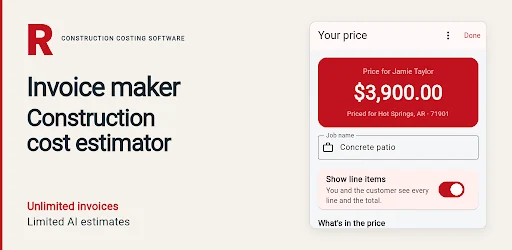
A construction estimating and invoicing app is useful when it keeps the job's paperwork connected. An estimate describes proposed work. An invoice records what you are billing. Customer details provide the context for both. Construction Costing Software brings those records into a phone-based workflow, with editable estimates, invoices, signatures, and PDF export.
This is RivetSoft's Construction Costing Software listing, package com.invoicemaker.aiestimator. It is a separate Android product from FieldSquire's Construction Cost Estimator. This guide explains where Construction Costing fits and how to begin with a manageable, reviewed job record.
Keep the job together from the start
Consider a remodeling job with several conversations, a revised scope, and a customer who needs a document they can review. A number in your notes is not enough. You need to know which work the number refers to, who requested it, and whether it is still the version you intend to send.
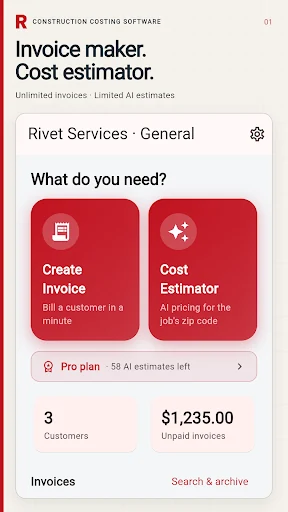
Construction Costing organizes saved estimates, invoices, customer details, and job information in the same app. That gives you a place to return when you need to review the paperwork. It does not remove the need to check that a record is current, but it helps keep the relevant information together.
For a contractor estimate and invoice app for Android, that connection is often more useful than having another standalone calculator.
Build the estimate around the real scope
Start with the work you have actually inspected. Describe the project, then review the suggested materials, labor, quantities, and prices. If the customer is considering two alternatives, be clear about which one the estimate covers.
Use your own measurements and current local supplier information to check the result. Access, preparation, disposal, and site conditions can change what a job requires. An AI suggestion is a draft to examine; it is not a final supplier quote or a substitute for knowing the work.
A reliable habit is to read every line with two questions in mind: does this item belong in the agreed scope, and does its quantity and price make sense for this job?
Separate estimating from billing
An estimate and an invoice should not be treated as interchangeable labels. The first helps communicate proposed work and costs. The second needs to reflect what you are billing under the arrangement with your customer.
When preparing either document, review the customer, business details, line items, and totals. Use the app's PDF export to inspect the finished document before sharing it. If a job changes, keep the revised record clear so you and the customer are discussing the same version.
For contractors who need customer records and PDF estimates on their phone, the benefit is a consistent place to manage that sequence. It is still your responsibility to verify the content you send.
Choose a plan for the tools you will use
The current product information describes Starter, Pro, and Crew subscriptions with different allowances and features. Voice input, photo analysis, company branding, payment links, and shared crew tools depend on the plan.
Before subscribing, compare those features with your actual routine. A solo operator preparing straightforward documents may have different needs from a crew sharing job information. Google Play displays the current local price and renewal terms; use that information rather than assuming a feature is included in every tier.
Try a controlled first project
- Pick a job whose measurements and scope you already know.
- Enter the customer and project details carefully.
- Review the suggested estimate against your own expected items.
- Make corrections before generating a customer document.
- Export the PDF and check it on another screen if that helps you catch omissions.
- Reopen the saved record to confirm you can find the job again.
This small test gives you a practical comparison with your current process. It also helps you identify which plan-dependent tools would save useful effort, rather than choosing a plan around features you may never need.
Frequently asked questions
Is Construction Costing the same app as FieldSquire?
No. They are separate Google Play listings. See the FieldSquire estimating guide if you are looking for that product. Use the download link attached to the product you intend to install.
Can I send a PDF estimate or invoice?
The product includes PDF export. Review the document's content and the tools included in your current plan before sending it.
Does the suggested estimate guarantee a job's final cost?
No. Quantities, prices, scope, labor assumptions, and site conditions need your review. Keep your own project knowledge and local costs in the decision.
See the Construction Costing product page for the official overview, or install Construction Costing Software on Android to start with your next reviewed job record.