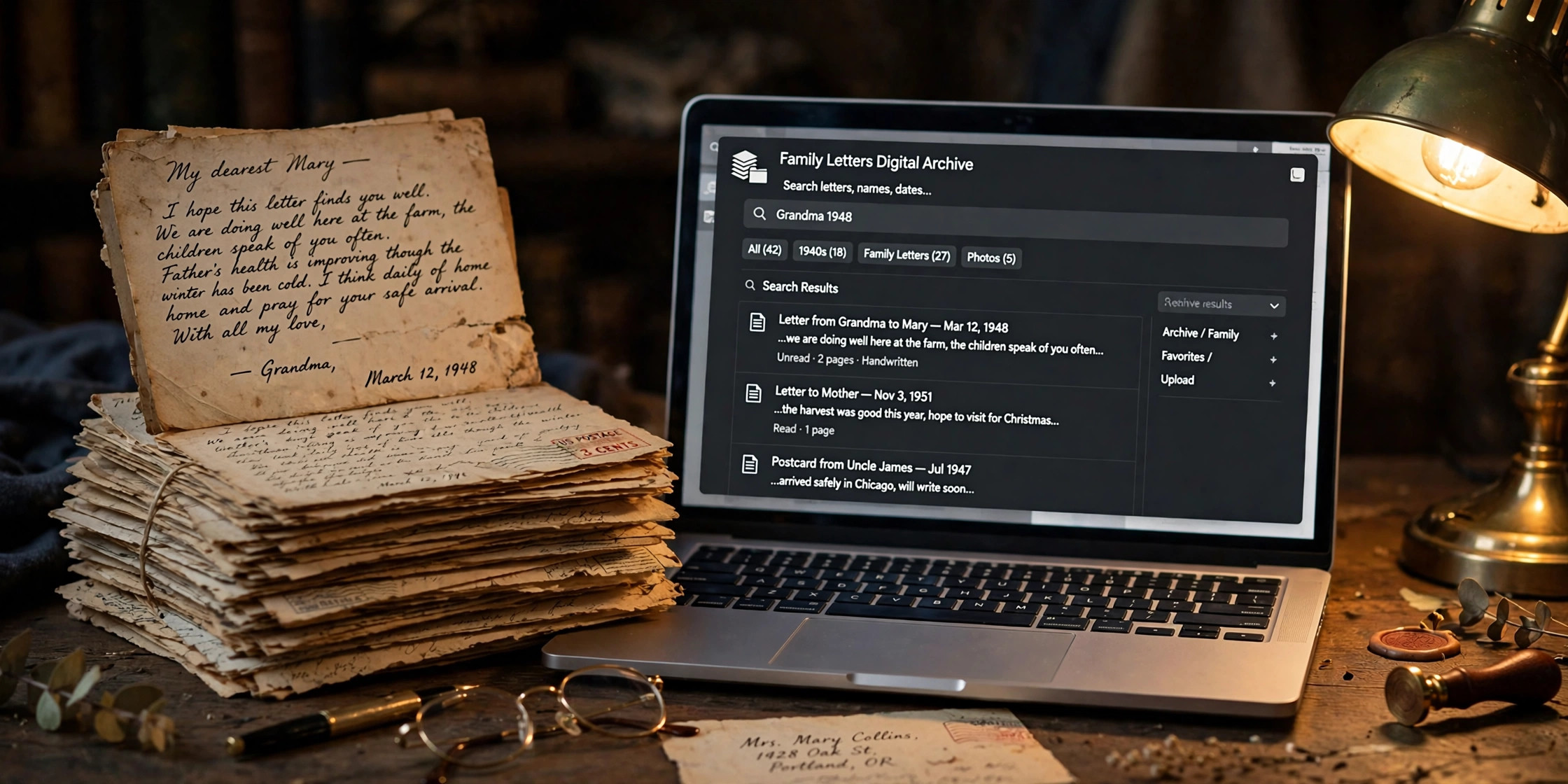
If you want to kindred ink transcribe old family letters, start with the box everyone has: a shoebox, a drawer, or a plastic bin full of envelopes in handwriting nobody in the family can quite read anymore. Those letters hold names, dates, places, and stories that exist nowhere else. The problem is not that the paper is gone — it is that the words on it are locked away, unreadable to search and slowly fading. Transcribing them turns a fragile stack of paper into a family archive you can actually use.
Kindred Ink is a Windows and Mac app that reads scanned family letters, records, and photos — including cursive handwriting — and turns them into a private, searchable library on your own computer. This guide explains how to prepare your letters, what the transcription process looks like, and what to do with the results once the words are searchable.
Start with a good scan, not a perfect one
You do not need a professional scanner to transcribe old family letters. A flatbed scanner at 300 dpi in color or grayscale works well, and a phone photo taken flat in good light works when a scanner is not available. The two things that matter most are keeping the page flat and keeping the text sharp. Curled pages and shadows are the biggest cause of poor results, so press the letter flat under a book for a few minutes before you scan it, and wipe the scanner glass first.
Scan both sides. The back of an old letter often carries a postmark, a return address, or a note in a different hand — and that detail is frequently the clue that dates the letter. Save each page as its own image file, and name the files in a way you will understand in a year: a date and a sender beats "scan001" every time. If a letter is longer than one page, keep the pages in order in a single folder for that letter.
Kindred Ink transcribe old family letters: how the process works
Once your scans are ready, Kindred Ink reads the handwriting on each page — including cursive — and converts it into text you can search, copy, and organize. Instead of opening every image to find the one letter where Grandma mentions the farm in 1948, you type "farm" or a name into the search box and the app finds every letter that contains it. The original scan stays attached to the transcription, so you can always check the handwriting against the text when a word looks uncertain.
That pairing matters, because no transcription of old handwriting is perfect. Ink fades, spellings were inconsistent, and some words are simply hard to read even for a person. Kindred Ink keeps the image and the text side by side, so a questionable word is one glance away from the original. You can correct the transcription as you go, and the corrected version is what gets searched and exported.
Organize the letters into a library, not a pile
Transcription is only half the job. The other half is organization, and that is where a searchable library earns its keep. As letters come in, give each one a sender, a recipient, and a date — even an approximate one, like "about 1952." Those three details are what let you answer the questions families actually ask: what did Dad write home during his first year away, or which letters mention the move to Malvern?
Kindred Ink keeps your library private on your own computer. There is no cloud upload, no account, and no subscription. That matters for family papers: letters often contain personal details, and many people would rather keep them off a server. Your scans and transcriptions stay in your own files, under your control.
What to do with the transcribed letters
Once a batch of letters is transcribed, you have options that paper never gave you. The simplest is a searchable PDF export: the whole set of letters becomes one document you can search on any device and share with relatives. For family historians, the GEDCOM export connects people and dates from the letters into a family tree file that genealogy software can open, so a name found in a letter becomes a person in your tree with a source attached.
A practical routine is to transcribe in small batches — one envelope per sitting — and share the searchable PDF with a sibling or cousin after each batch. Relatives read the letters, remember details you missed, and send back corrections. The archive improves with every round, and the family ends up with the same set of letters instead of five different partial copies in five different houses.
A few things transcription cannot do
Be honest about the limits. Kindred Ink cannot recover words that are physically gone — ink washed away by water damage stays gone, and a torn corner stays torn. Very faint pencil writing scans poorly, so try a darker scan setting or a phone photo with strong, even light before giving up on it. And a transcription is a reading of the handwriting, not a certified record: if a letter is evidence for a date or a name in your research, cite the original scan, not the transcribed text alone.
The same care applies to photos. Kindred Ink can read text in scanned photos — captions on the back, names written on a print — but it cannot identify the people in a photograph. Label the people while someone who knows them is still around to ask.
Getting started with Kindred Ink
Kindred Ink runs on Windows and Mac, works on two computers, and costs $49.99 at launch (regular price $99.99), with a 3-day trial so you can test it on your own letters before you buy. Start with one envelope — the letters you are most curious about — and scan them using the tips above. Transcribe them, search for one name you care about, and see what comes back. That first search, when a letter you had never read suddenly answers a question, is the moment the box stops being clutter and starts being an archive.
For more on working with scanned family papers, see our guide on recovering deleted photos from an SD card and our walkthrough of copying iPhone photos to an external drive on Windows. You can browse all of our apps and games or visit the Kindred Ink page to start your free trial.