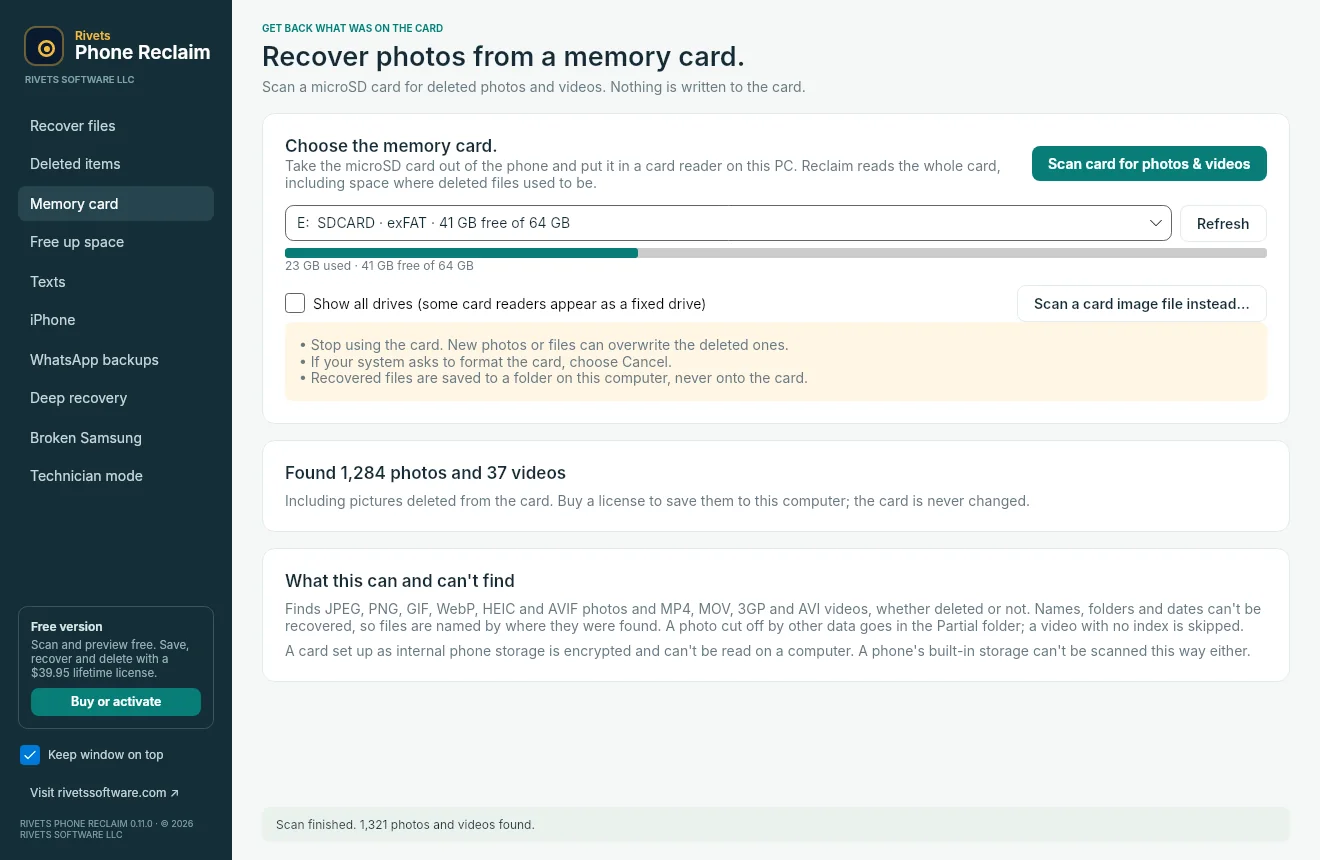
To recover deleted photos from an SD card, stop using it, connect it to a computer with a card reader, and run a read-only scan. Save any recoverable files to a different drive. Rivets Phone Reclaim lets you scan and preview results for free on Windows or Mac before deciding whether to pay to save them.
Take the memory card out of use
Power off the camera or device before removing the card if its manufacturer calls for it. Avoid taking another photo or letting the device repair or format the card. A deleted photo can still be recoverable while its data remains on the card. Each new write can reuse that space.
Connect the card to a computer with an SD or microSD reader. If the computer prompts you to initialize or format it, cancel that prompt. If a card repeatedly disconnects, reports the wrong capacity, or shows physical damage, pause. For irreplaceable files, ask a recovery specialist about the safest next step. PhotoRec's guidance on preserving recovery media
Scan the card and preview the results
Open Rivets Phone Reclaim and choose the memory card recovery tool. Confirm the card's size so you scan the intended device. Phone Reclaim reads the card without writing to it and looks for remaining photo and video data, including JPEG, HEIC, MP4, and MOV.
Preview a few files you recognize. Look for the missing photos and open a sample from each important batch. A scan can turn up images from earlier shoots or fragments of a file. A high result count alone tells you little about the particular photo you need.
If the results include the files you want, select a new folder on your computer or a separate drive and save them there. Open the saved photos and play recovered videos through the end where practical. Keep the card untouched until you have checked the files and made a second copy.
Can you recover photos from a formatted SD card?
A read-only scan can sometimes find files after a quick format if their data remains readable. New recordings and erasure can make files unrecoverable. Use the preview to assess your own results. Original folders and filenames may be missing when a recovery tool has to identify a file from its contents.
What if the photos were in my phone's internal storage?
Check your phone's gallery trash, Google Photos Trash, and any backups or shared copies. The memory card workflow applies to a readable removable card. A microSD card set up as Android internal storage is encrypted and tied to that device. Google Photos recovery instructions and Android's explanation of adoptable storage
If the files are still accessible and your goal is to move them to a computer, follow our guide to copying Android files and freeing storage.
What can I do before paying?
Scan and preview with Phone Reclaim for free. Saving recovered files requires a license. The official Phone Reclaim page lists the current lifetime license and downloads for Windows 10 or 11 and macOS 14 or later. After recovering important photos, give those files a predictable place in your external drive photo archive.