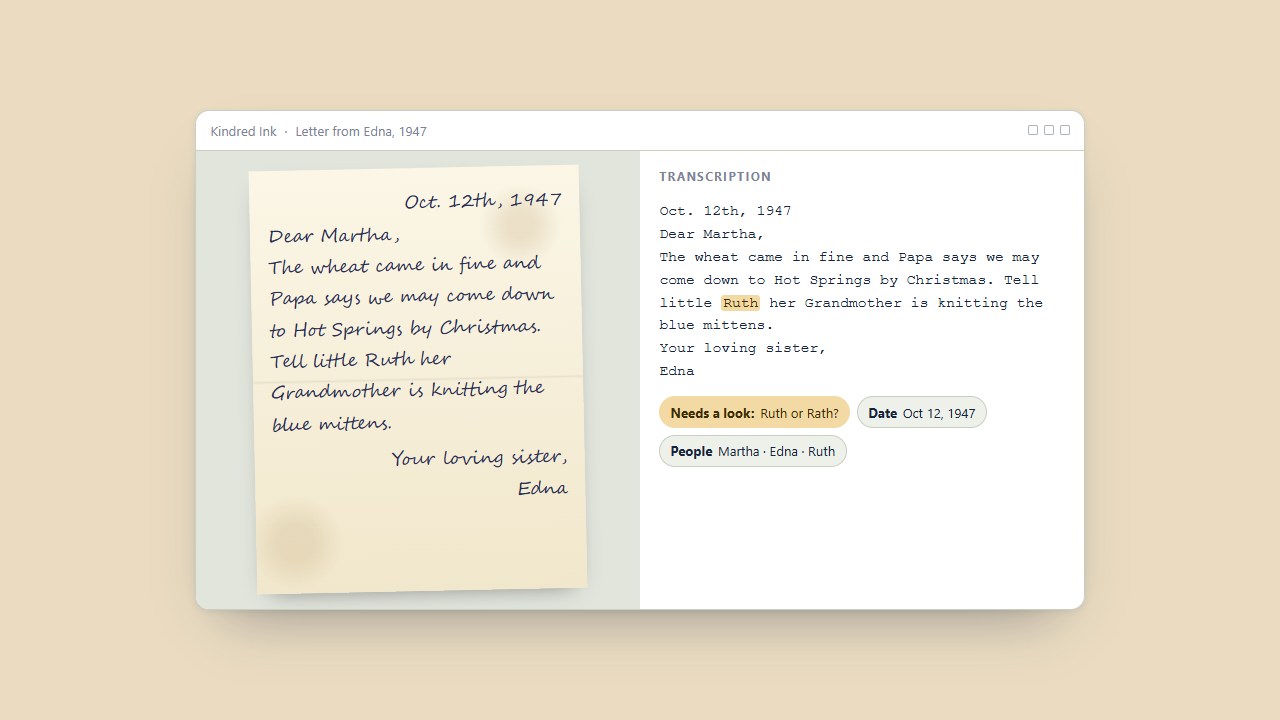
To transcribe old handwritten letters, start with a sharp scan, run handwriting recognition or type the text yourself, then check names, dates, and places against the image. Keep the original scan beside the corrected text. That gives your family a readable copy and lets the next person see how you interpreted the handwriting.
Kindred Ink brings that process into a searchable family archive on Windows 10 and 11. Start with one envelope and a question you want the letters to answer, such as when a relative moved or how a town name was spelled.
Scan the whole letter and keep the pages in order
Capture the full page, including any edges with writing. Scan the envelope if it has an address, postmark, or note. If a photograph has a message on the back, capture both sides and keep them together. A filename such as Edna-to-Martha_1947-10-12_p01 ties the pages together. Use an approximate date or leave the date open when you have yet to confirm it.
Keep an original-quality scan and make a separate working copy if you need to crop, rotate, or adjust contrast. Give brittle paper and bound letters enough support to open naturally. For fragile pieces, a camera above the document can spare the page from being pressed flat. Library of Congress guidance on digitizing collection materials
Make a first pass in Kindred Ink
Add a folder of scans to Kindred Ink for Windows. Printed pages are read on import. For cursive, choose Read handwriting and let the reader process the page on your PC. The first use requires a one-time download of the handwriting reader. Processing time depends on your computer and how much handwriting is on the page.
Check any words marked Needs a look, then review names, house numbers, years, and signatures even when they have no flag. Those are the details most likely to lead a family researcher to the wrong person or record. If a surname looks like “Paine” or “Payne,” compare the writer's letters elsewhere on the page. Record uncertain readings clearly so someone else can revisit them. National Archives transcription tips
Make the next search easier
Once a page is reviewed, tag the people you can identify and confirm the date. Search the library for a name, town, or year. Then try a spelling variation or a word likely to appear in the letter. A place name or business name can connect two letters even when the sender signed only “Mother.”
For sharing, export a searchable PDF so a relative can look up words while seeing the scanned page. Use GEDCOM export when you want to bring people and dates into a compatible family tree program. Keep backups of the original scan folders and the Kindred Ink library. Our guide to organizing photos on external hard drives explains how to label and check copies as the archive grows.
Does handwriting recognition work on faded cursive?
It can help when you can still make out the strokes. Faded ink, bleed-through, unfamiliar names, and damaged paper can all produce convincing errors. A brighter, sharper rescan may help. If the word stays unreadable, leave it marked as uncertain in your transcription.
Do my letters get uploaded to a transcription service?
Kindred Ink reads scans and stores transcriptions on your Windows PC. The app uses the internet for the handwriting reader download, updates, and license management. Try the three-day Windows trial with a mix of a typed record and a cursive letter to see which parts of your archive it can help with.