Free trial
$0
- The full editor, with no time limit
- All templates, frames and icons
- Save and reopen projects
- Exports stop at five cards and carry a watermark
Card game design software · Windows and Mac · Works offline
CardStudio is a desktop card maker for tabletop designers. Design one layout, link your card list, and export the whole deck for print, Tabletop Simulator or Foundry VTT.
Free to try with the full editor. Trial exports stop at five cards and carry a watermark.
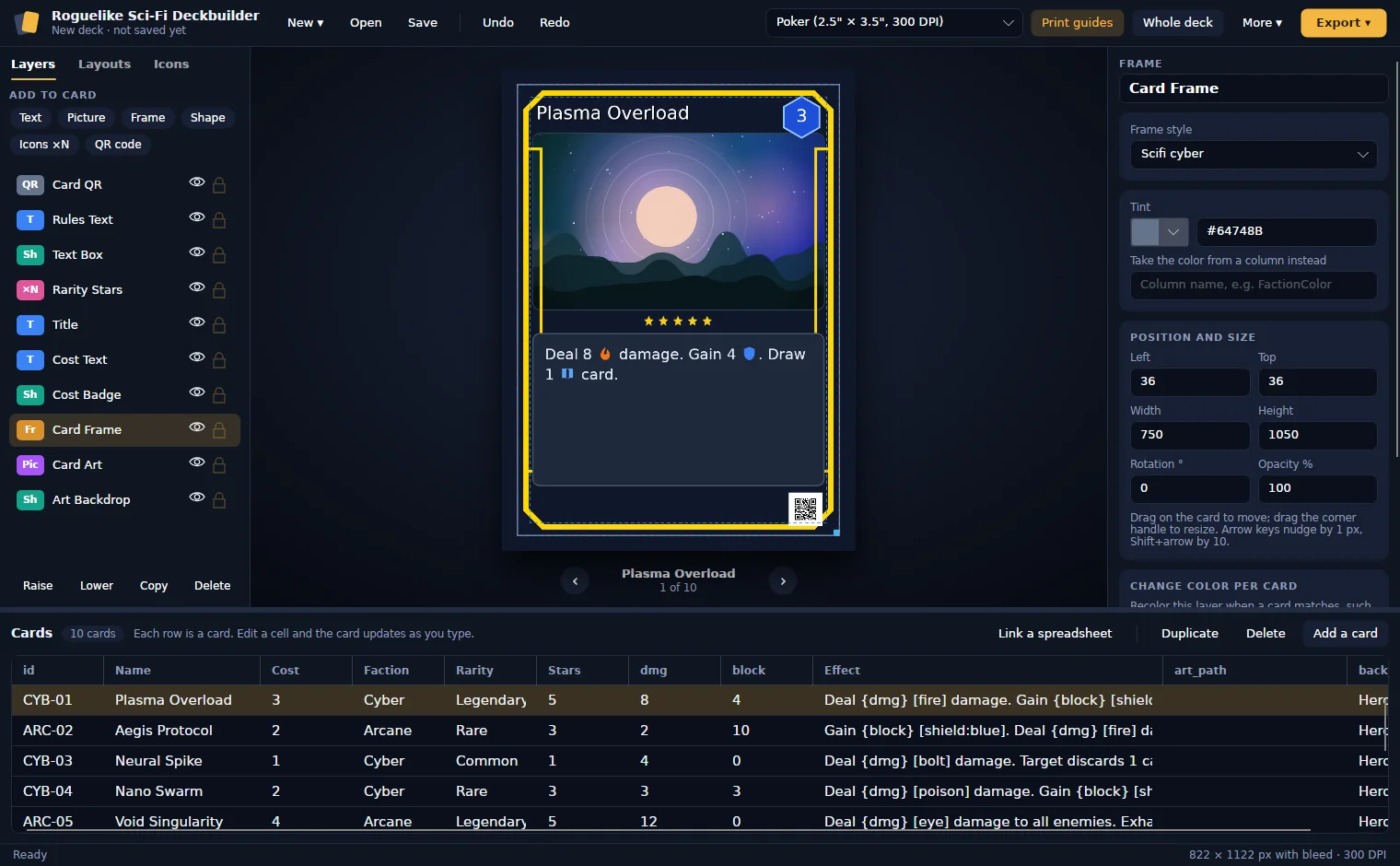
CardStudio is a desktop app for Windows and Mac that makes the cards for a tabletop game. You design one card layout, link a spreadsheet with one row per card, and CardStudio fills in every card for you. It then exports the deck for printing, Tabletop Simulator, Foundry VTT or a game engine.
Three steps take you from a card list to files you can print or play with.
Start from a sci-fi, fantasy or board-game template, or a blank card. Add text, pictures, frames and icons, and drag them into place.
Each row is a card and each column is a value. Type {Name} or {Cost} on the card and it fills in from the sheet.
Pick print-ready PNGs, a print-and-play PDF, Tabletop Simulator, Foundry VTT or game engine files. CardStudio renders every card.
Each of these came from one spreadsheet row. The artwork is CardStudio's generated placeholder art, which appears until you add your own pictures.
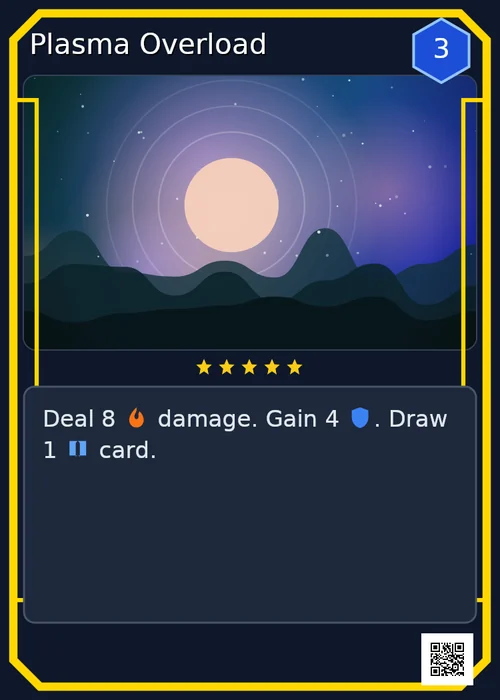
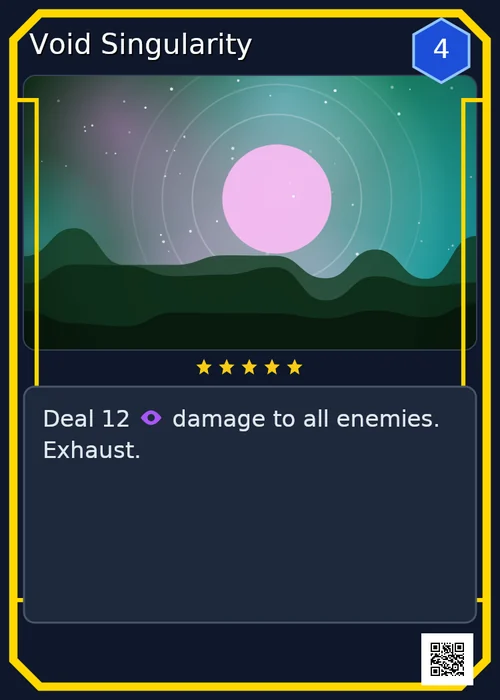
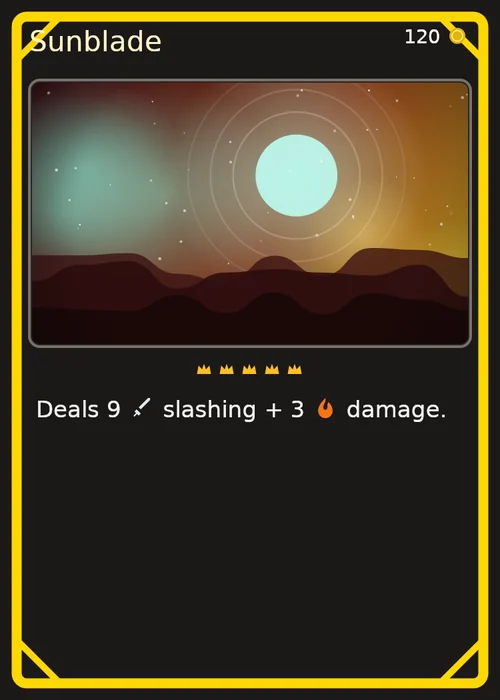
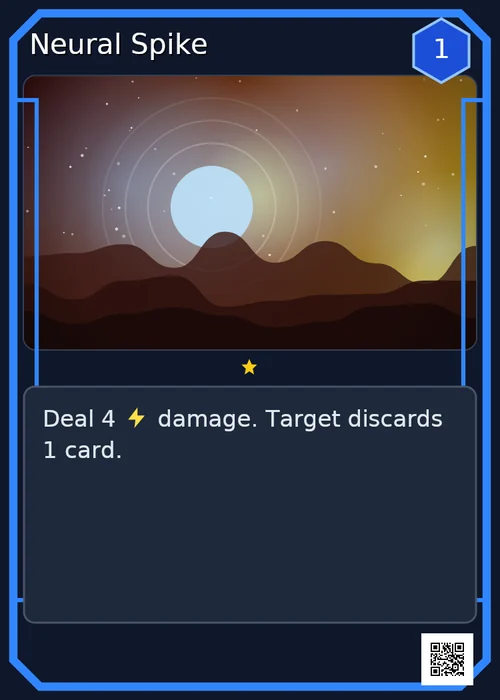
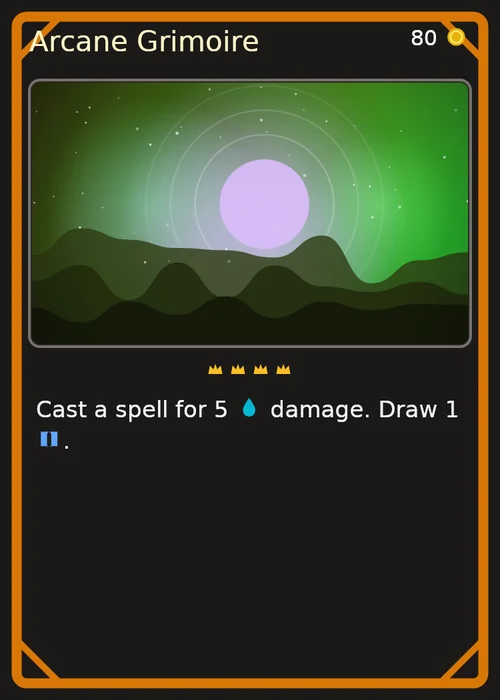
Design the card once. CardStudio repeats it for every row in your sheet, so a 200-card deck takes the same design work as a 10-card one.
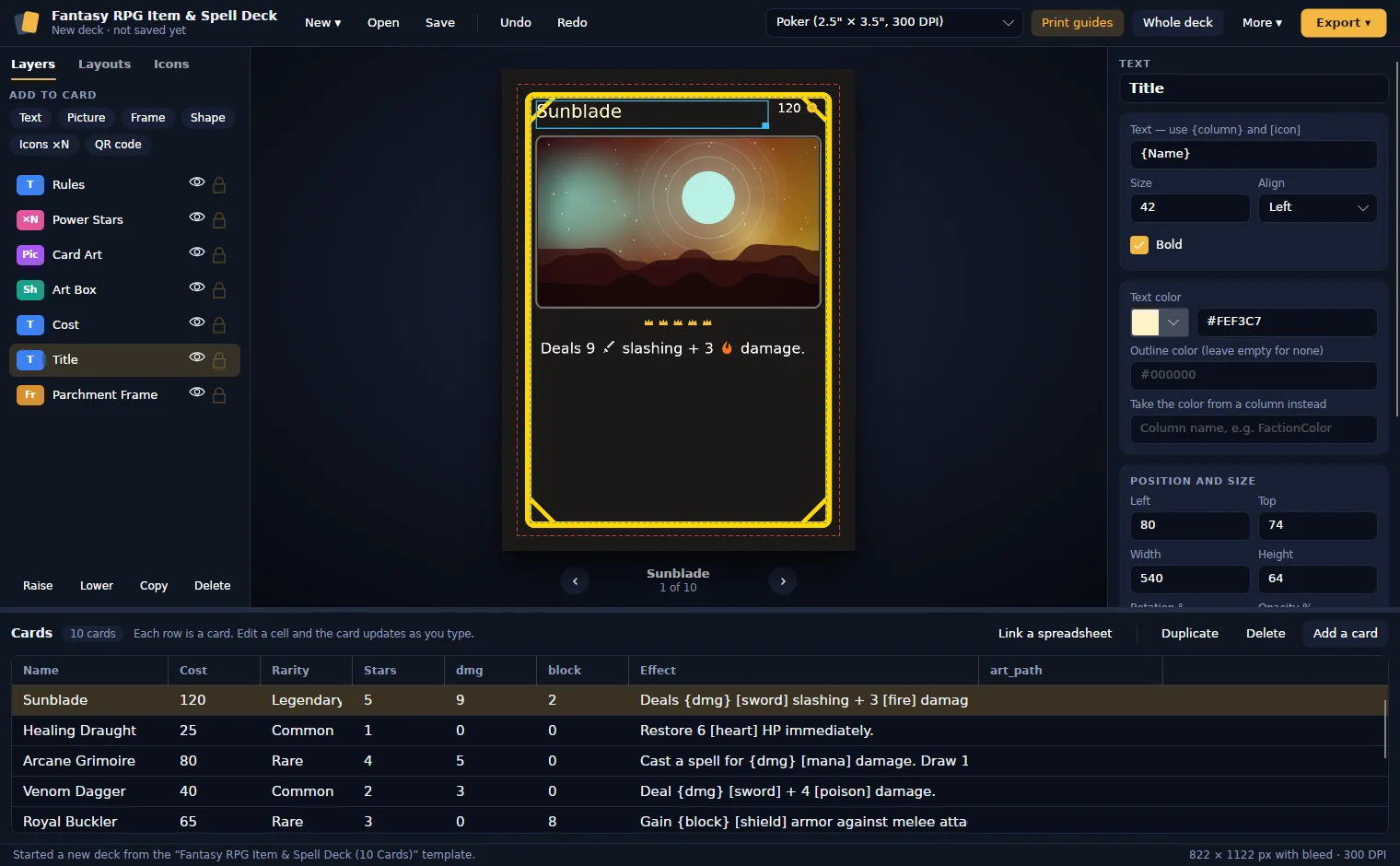
Link a CSV or Excel file and keep editing it in your spreadsheet app. Save the file and the cards update on screen.
Type [fire] or [shield:blue] in any text and the icon appears in line, tinted the color you named. Import your own SVG or PNG icons.
Turn a frame gold when Rarity is Legendary, or blue when Faction is Cyber. Pick the column, the value and the color. No formulas.
Bleed, cut and safe lines are drawn on the card as you design, so nothing important lands where the cutter does.
See every card side by side to catch the one with text that runs long. Click a card to jump back to editing it.
Empty picture slots fill with generated art that is unique to each card name, so playtest decks never ship with gray boxes.
Pictures and icons are packed inside the project file. Copy one file to another computer and the deck opens complete.
The whole-deck view lays out every card at once. It is the fastest way to spot a title that is too long, a missing icon or a card in the wrong color before you pay for a print run.
Undo covers both the layout and the card data, up to 100 steps, and CardStudio asks before you close a deck with unsaved changes.
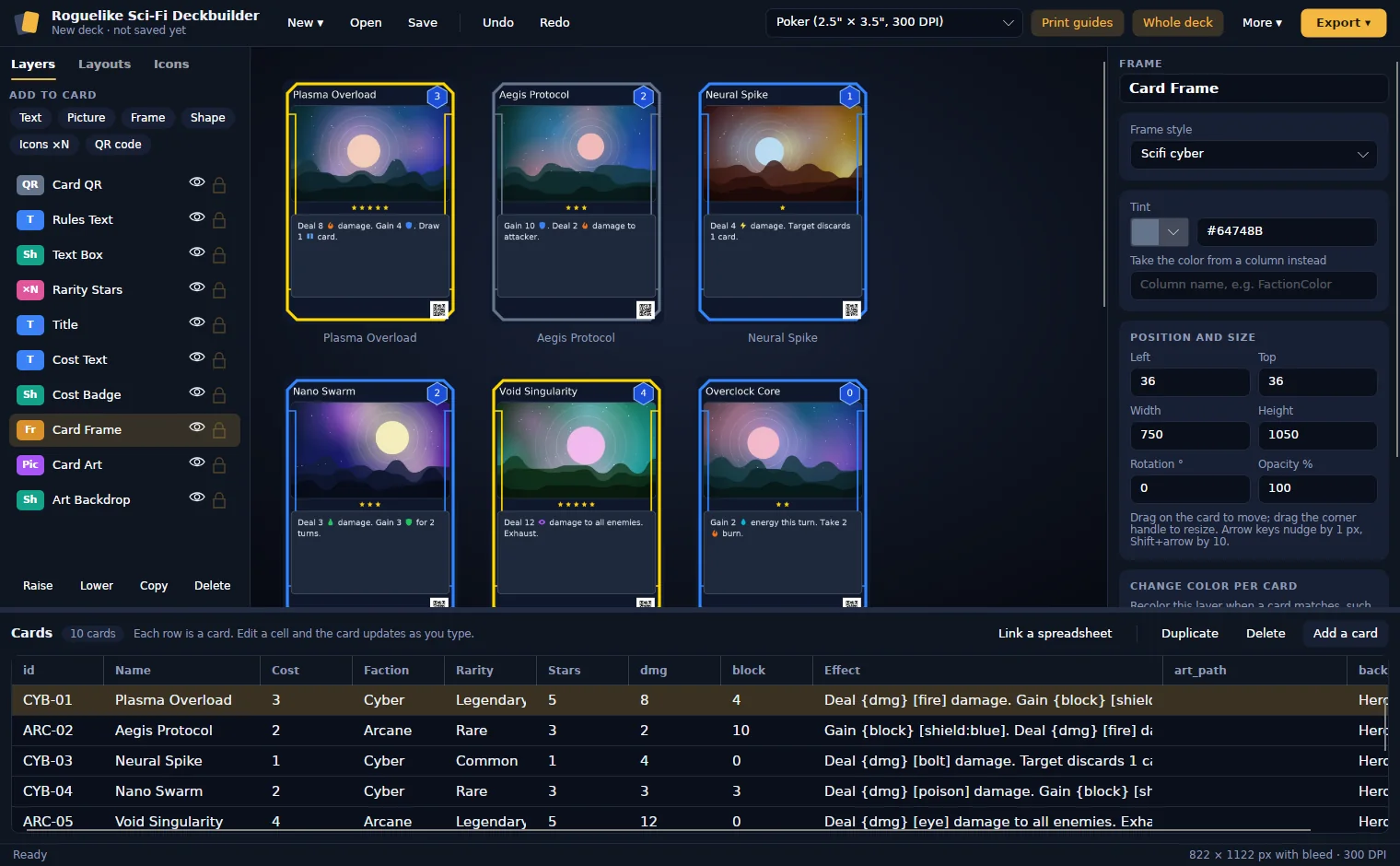
CardStudio ships with three starter decks: a sci-fi deckbuilder, a fantasy item and spell deck, and square board-game resource tiles. Each has ten sample cards, so you can see how the spreadsheet drives the design and then swap in your own columns.
Fifteen frame styles and eighteen icons are included, among them fire, shield, coin, sword, mana, heart, skull and crown.
CardStudio exports five formats. Every one renders the full deck in a single step.
| Export | What you get | Use it for |
|---|---|---|
| Print-ready PNGs | One PNG per card at full print size with bleed, plus card backs when your project has a back layout. | Print-on-demand card printers |
| Print-and-play PDF | A PDF with nine cards per page, plus back pages for double-sided printing when your project has a back layout. | Home printer and scissors |
| Tabletop Simulator deck | A 10 × 7 deck sheet, a card back image and a saved-object file. | Online playtests in Tabletop Simulator |
| Foundry VTT pack | A ZIP of compact WebP card images. | Card decks in Foundry Virtual Tabletop |
| Game engine assets | Trimmed PNGs and a JSON file with every card's data. | Unity, Godot and other engines |
| Card size | Trimmed size | Resolution |
|---|---|---|
| Poker | 2.5 × 3.5 in | 300 or 600 DPI |
| The Game Crafter poker | 2.5 × 3.5 in | 300 DPI |
| Bridge | 57 × 88.9 mm | 300 DPI |
| Tarot | 70 × 120 mm | 300 DPI |
| Mini US / Euro | 44 × 63 mm | 300 DPI |
| Square tile | 70 × 70 mm | 300 DPI |
| Square token | 50 × 50 mm | 300 DPI |
| CardStudio | Online card tools | General design apps | |
|---|---|---|---|
| Fills cards from a spreadsheet | Yes | Usually | Not without add-ons |
| Works with no internet | Yes | No | Depends on the app |
| How you pay | $29.99 once | Usually monthly or yearly | Often a subscription |
| Your files stay on your computer | Yes | Stored online | Depends on the app |
| Tabletop Simulator and Foundry VTT export | Built in | Varies | Manual |
CardStudio costs $29.99 once. There is no subscription, and the trial never expires.
$0
$29.99 one time
Secure checkout by Stripe. Lost your key?
CardStudio.App.exe from the unzipped folder.CardStudio is a desktop app for Windows and Mac that makes the cards for a tabletop game. You design one card layout, link a spreadsheet with one row per card, and CardStudio fills in every card for you. It then exports the deck for printing, Tabletop Simulator, Foundry VTT or a game engine.
Put one card on each row of a CSV or Excel file, with a column for each thing that changes, such as Name, Cost and Effect. In CardStudio, choose Link a spreadsheet, then type the column name in curly braces, like {Name}, wherever that value should appear on the card. Every row becomes a card, and saving the spreadsheet updates the cards.
Yes. CardStudio runs entirely on your computer. There is no account, no login and no cloud upload, and your card files stay on your own drive. The license key is also checked on your computer, so the full version keeps working with no internet connection.
CardStudio is free to download and try. A lifetime license is a one-time payment of $29.99 USD with no subscription. The license removes the five-card export limit and the watermark, and covers up to three of your own computers, in any mix of Windows and Mac.
Nothing in the editor is locked. You can design layouts, link spreadsheets, and save projects for as long as you like. The only limits are on export: a trial export stops at five cards and adds a small watermark. Buying a license removes both.
Yes. CardStudio includes card sizes for poker, bridge, tarot, mini and square cards at 300 DPI, plus a 600 DPI poker size and a preset for The Game Crafter poker cards. It shows the bleed, cut and safe lines while you design, and exports one PNG per card with bleed for print-on-demand services.
Yes. The Tabletop Simulator export creates a deck sheet image for every 70 cards, a card back image, and a saved-object file that points at them. Load the saved object in Tabletop Simulator to get the deck on the table.
No. You build a card by adding text, pictures, frames, shapes, repeating icons and QR codes, then dragging them into place. There is no scripting. Fifteen frame styles and eighteen icons are built in, and empty picture slots show generated placeholder art until you add your own.
Yes. One license key works in both the Windows and Mac versions, on up to three of your own computers. Paste the key from your receipt email into Activate license once on each computer.
CardStudio runs on 64-bit Windows 10 and Windows 11, and on Macs with Apple silicon (M1 or newer). The Mac version is signed and notarized by Apple. Each download is about 65 MB and needs nothing else installed.
CardStudio for Windows is a new app, so Windows SmartScreen may show a blue "Windows protected your PC" box the first time you run it. Click More info, then Run anyway. The download comes directly from Rivets Software LLC at rivetssoftware.com.
Yes, refunds follow the Rivets Software refund policy linked at the bottom of this page. Try the free version first: it has the full editor, so you can check that CardStudio fits your game before you pay.
Download it, link your card list, and see your deck laid out in a few minutes.