How do I move photos from my phone to my PC and organize them automatically?
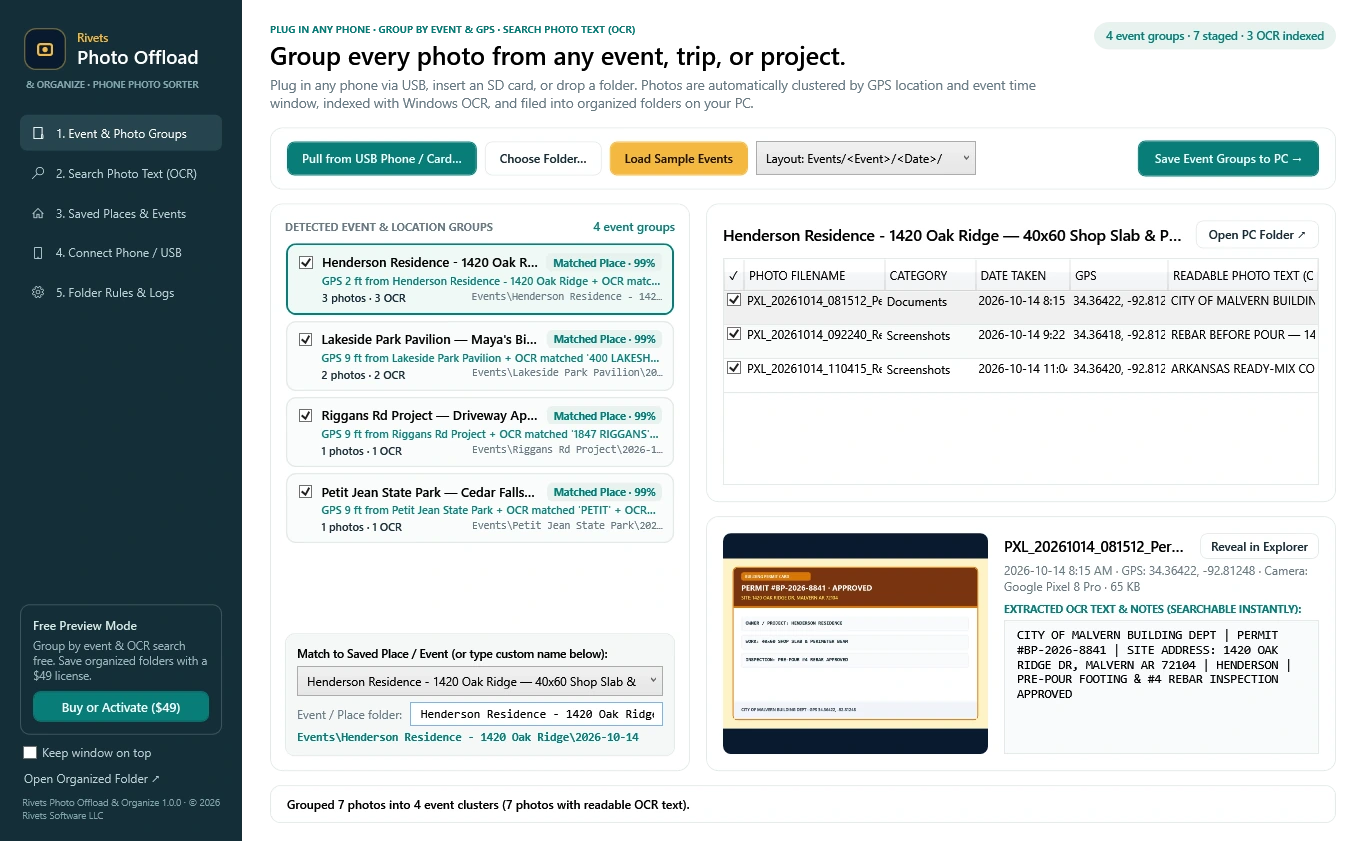
Install Rivets Photo Offload & Organize on your Windows PC, plug your phone in with its USB cable, unlock it and allow access to photos. Click Pull from USB Phone and the app copies the photos, groups them into events by place and date, and sorts each one by what it shows. Click Save Event Groups to PC to create the folders.
Does it work with both iPhone and Android?
Yes. Android phones and iPhones both connect over a standard USB cable. On Android, choose File transfer when the phone asks what the USB connection is for. On iPhone, unlock the phone and tap Allow or Trust. It also reads camera SD cards, USB drives and folders already on your PC.
How does it sort photos into People, Pets, Scenery and other categories?
A small image-recognition model built into the app looks at each photo and picks one of eight categories: People, Pets, Scenery, Food, Art, Documents, Screenshots or Misc. It runs on your PC's processor with no internet connection. In our tests it picked the right category for about nine photos in ten, and you can change any photo's category before saving.
Are my photos uploaded to the cloud?
No. Photos are copied from your phone to your PC and nowhere else. Grouping, sorting and text reading all run on your computer, and there is no account to create. Only license activation uses the internet, and it sends a license key and a scrambled computer identifier, not your photos.
Can I search for text inside my photos?
Yes. The app uses the text recognition built into Windows to read signs, receipts, tickets, whiteboards and screenshots. Type a word in the search page and it lists the photos containing that word. The text is also saved in a small file next to each photo.
Does it delete photos from my phone?
No. It copies photos to your PC and leaves the phone exactly as it was. If you want to free up phone storage after copying, Rivets Phone Reclaim is the app for that.
How does it decide which photos belong to the same event?
It reads the date and GPS location stored in each photo. Photos taken within a short distance of each other on the same day become one event. Photos with no GPS, such as indoor shots, join the event they were taken during. You can adjust the distance and the time window in the settings.
What happens to duplicate photos?
A photo that is already saved in the destination folder is skipped, so running the app again does not create second copies. Two different photos that happen to share a file name are both kept.
Does it work with iPhone HEIC photos?
Yes. The date, GPS location and camera model are read from HEIC files, so they are grouped like any other photo. To preview HEIC pictures inside the app, read their text or sort them by category, Windows needs Microsoft's free HEIF Image Extensions and HEVC Video Extensions; without them HEIC photos are filed under Misc.
Does it organize videos?
Not yet. It works with photos in JPEG, PNG, WebP and HEIC formats. Videos on your phone are left where they are.
Is it free?
It is free to download and try. Copying photos, grouping them into events, sorting them into categories and searching their text are all free. A one-time $49 lifetime license unlocks saving the organized folders to your PC. There is no subscription.
What does my computer need?
A PC with 64-bit Windows 10 or Windows 11. Nothing else needs to be installed, and no graphics card is required. The download is about 98 MB.